You never know when the Zombie Apocalypse might overwhelm your Linux server. In this tutorial learn what Zombie processes are and how to control them. Avoid becoming a brain snack!
Zombie processes are a necessary by-product of running a Linux desktop or server. They can’t be avoided. Zombie processes occur when a process completes, but does not complete the steps to exit properly.
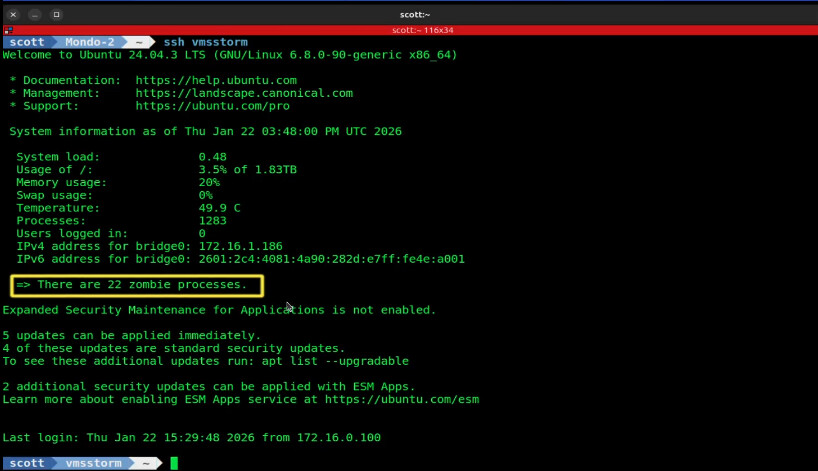
Containerized applications, particularly docker are known to create zombie processes. Common offenders are Puppeteer/Playwright, Grafana image renderer, uptime kuma, changedetection.io, PDF generators, and node.JS automations.
Docker & Incus tend to have parent processes that spawn children and don’t properly terminate them thus resulting in zombie processes. You won’t see these Zombies inside the container (Incus or Docker) that created them. Instead, Zombies appear on the host server. That’s because containers share the kernel of the host server.
Zombie processes are processes that have completed executing and are not running and so are no longer using CPU or memory resources. However, they do occupy a “process slot” on the system and you can list them out with the command:
ps -eo pid,ppid,stat,cmd | awk '$3 ~ /Z/ {print}'
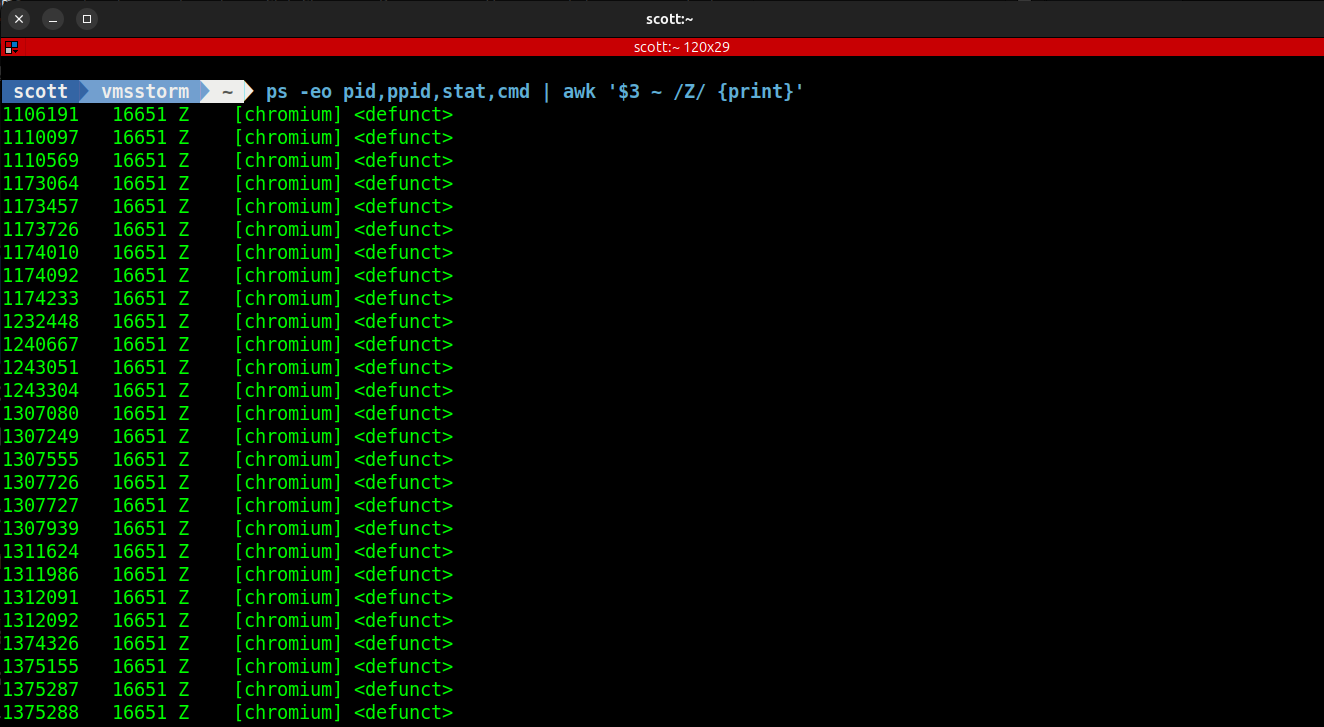
Zombies are not bad. Excessive Zombies are and may occupy finite system process ID (PID) slots on your server and that could potentially create a problem. We don’t want a system with hundreds of zombie processes hanging around. That might be a sign of the looming zombie apocalypse.
Docker has a simple solution to providing some control over Zombies. Tini is a “tiny init” process that can be inserted into the parent docker container. You simply insert “init: true” into your docker compose file to run tini as seen below.
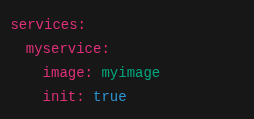
After adding tini to your docker compose file.
docker compose down
docker compose up -d
We can examine a Zombie process.
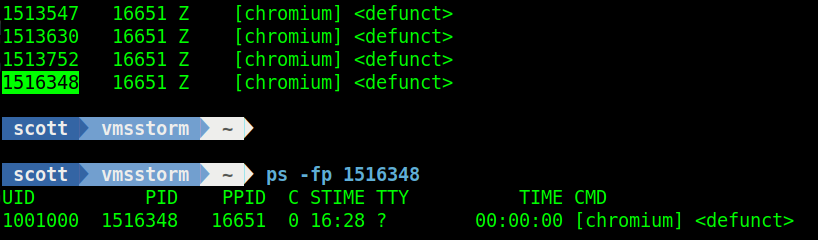
We can find out the source of the Zombie process with the “cat” command.

The command above indicates:
- lxc.payload.ChangeDetection - A Linux container (Incus) named ChangeDetection is the parent.
- system.slice/docker - The culprit is a docker container.
- ps -fp nnnnn - Chromium was the image running in the container that was not terminated properly.
To depict this graphically:

Tini is a great way to reduce Zombie processes that can be a by-product of docker applications. You may still get zombies even with tini if an application forks, double forks, or spawns subprocesses without waiting for them. Tini is a guardrail and not a “cure all”.
Running tini on containers that create Zombies will help minimize them and avoid having hundreds of them sticking around. Take a look at how I updated the docker-compose file for my tutorial entitled Change Detection for Websites.