The Ubiquiti Unifi Network application provides a massive amount of data. I developed the “Unifi Statistics Dashboard” as a read-only web application that displays a nice summary in one place.

I am hosting my application on the docker hub and you can see it here.
UPDATE: I released V2 of this dasboard with many enhancements since the first video.

The basic idea is to provide an “at a glance” overview of your Unifi network.
The Unifi Statistics dashboard is a docker container and I have chosen to nest it inside of an incus container as a best practice for application isolation and backup.
If you want to learn about Incus, watch my Incus Containers Step by Step tutorial.
Start by creating an incus container:
incus launch images:ubuntu/26.04 UnifiStatistics -p default -p bridgeprofile -c boot.autostart=true -c security.nesting=true
Move inside the container.
incus shell UnifiStatistics
Accept the updates.
apt update && apt upgrade -y
Ubuntu 26.04 provides an option to modernize your repository lists. You can do that with:
apt modernize-sources
Install some dependencies.
apt install nano net-tools curl openssh-server -y
Install docker from the script on the docker website.
curl https://get.docker.com | sh
Create an account.
adduser scott
Put your user in the sudo and docker groups.
usermod -aG sudo,docker scott
Log into the new account.
su - scott
Create the folder structure and move inside it.
mkdir -p unifi-statistics/public
cd unifi-statistics
Create a docker compose file.
nano docker-compose.yml
Insert the following into the file.
services:
  unifi-statistics:
    image: scottibyte/unifi-statistics:latest
    container_name: unifi-statistics
    restart: unless-stopped
    ports:
      - "80:3050"
    env_file:
      - .env
    volumes:
      - ./data:/app/data
Save the file with a CTRL O and enter and then CTRL X to exit the nano editor.
Create an environment variables file.
nano .env
Insert the following template.
UNIFI_URL=https://192.168.1.1
UNIFI_USERNAME=your_username
UNIFI_PASSWORD='your_password_here'
UNIFI_SITE=default
PORT=3050
Change the 192.168.1.1 address if the address of your gateway is different. Create a read-only username on your Unifi gateway and change the username/password in the file accordingly. Everything else should be the same.
Save the file with a CTRL O and enter and then CTRL X to exit the nano editor.
Start the application:
docker compose up -d

Check to see what the address of the container is by examining the “eth0”:
ifconfig
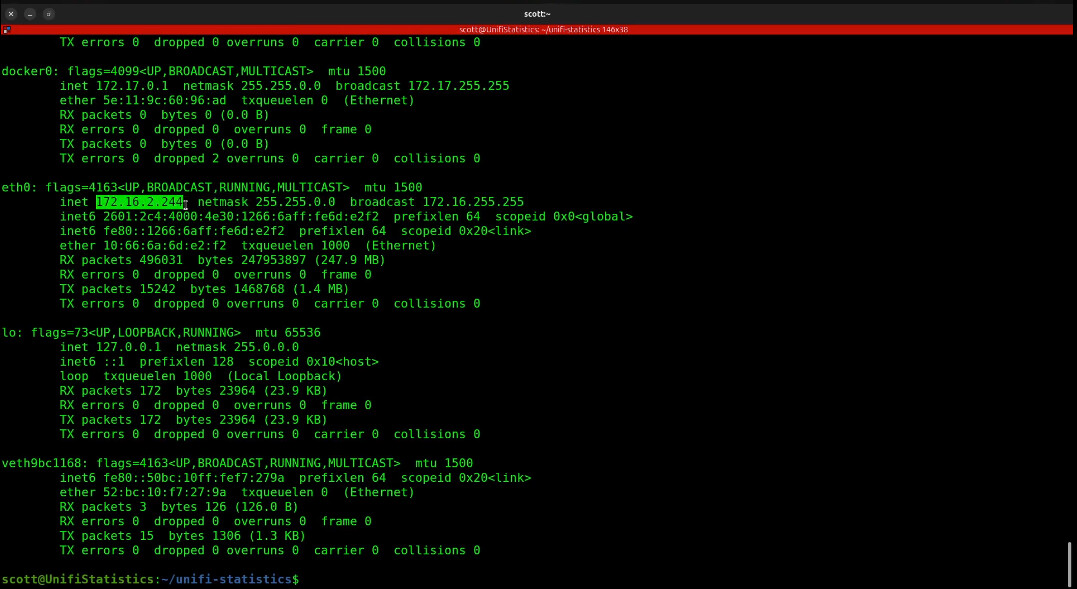
Realize that your address will differ from this one.
Open the address you found in your web browser and the dashboard should display.
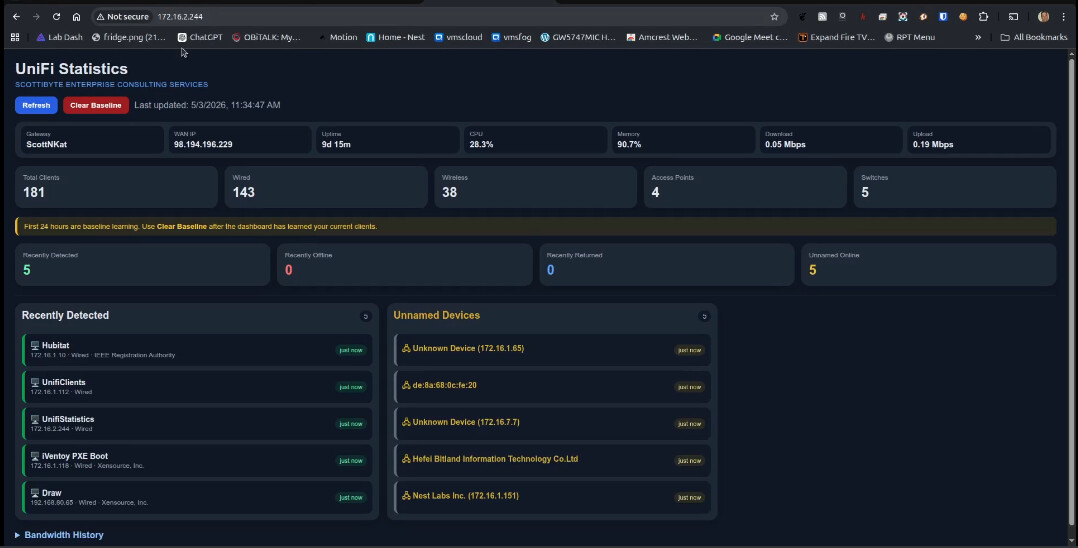
After 24 hours, come back and press the red “Clear Baseline” button and you should be good from then on.