This is a Docker version of the Ubiquiti Unifi Client Manager that I presented back on April 11th. This utility provides an enhanced view of the clients managed by your Unifi Gateway.
NOTE: I recently updated the code to v1.2 after the video tutorial to enhance the display. The release notes detail the changes. Here’s how it looks now.
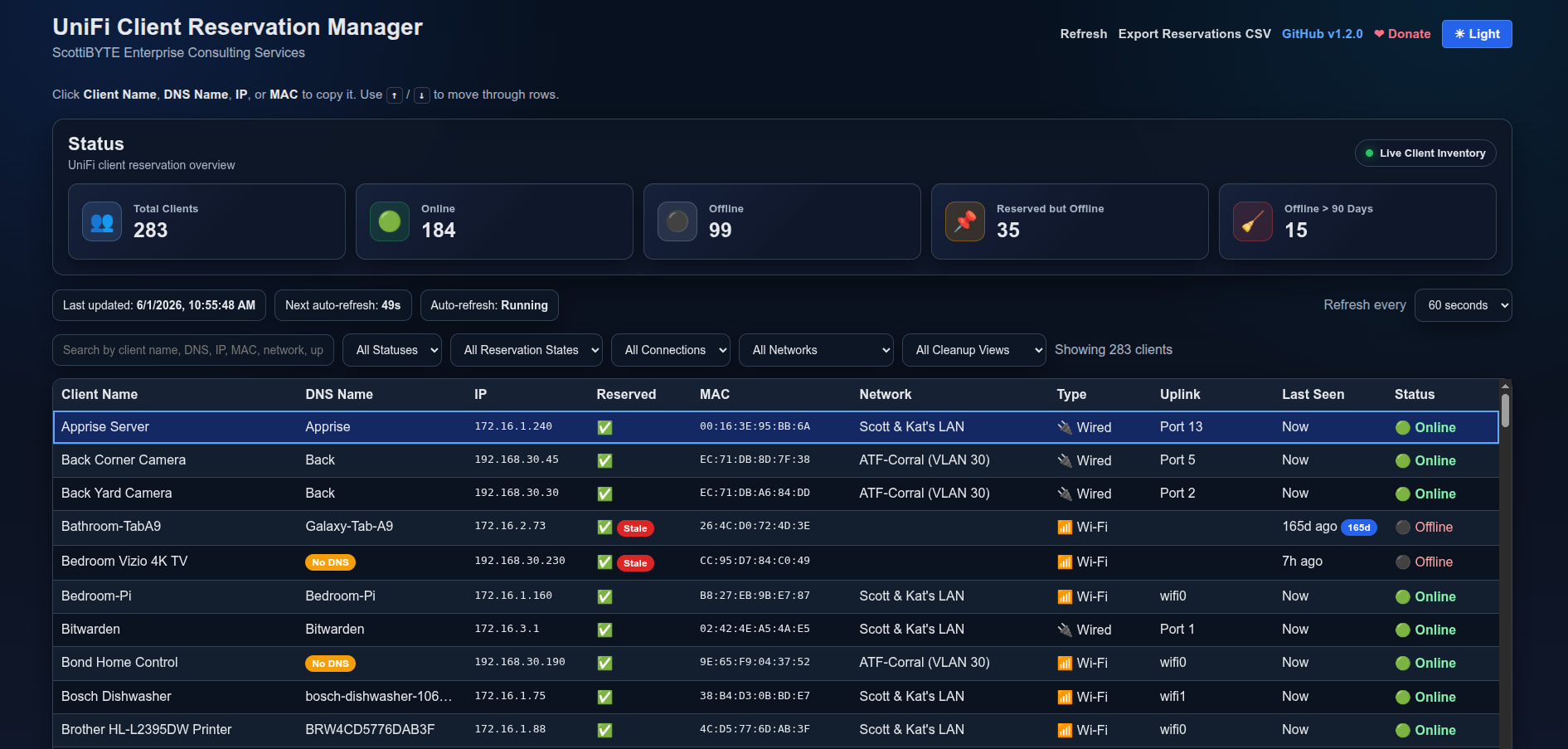
The interface provides a nice summary view of all of the clients on your Unifi Gateway. In addition, you also have the ability to click on any column header to sort or reverse sort. When the program starts, clients are sorted by the Unifi client name. You can export your DHCP address reservation assignments and you can also search/filter by any values entered in the search field.
This is a read-only utility and does not make any modifications to your Unifi System.
Start by creating an incus container or you can install this directly on your docker server if you have one.
incus launch images:ubuntu/26.04 UnifiClients -p default -p bridgeprofile -c boot.autostart=true -c security.nesting=true
Move into the container.
incus shell UnifiClients
Accept the updates.
apt update && apt upgrade -y
Modernize the repository list source files which is optional.
apt modernize-sources
Install some dependencies.
apt install nano net-tools curl openssh-server -y
Install docker.
curl https://get.docker.com | sh
Add a user and place the user in the docker and sudo groups.
adduser scott
usermod -aG sudo,docker scott
Login to the new user.
su - scott
Create an application folder and move inside of it.
mkdir unificlients
cd unificlients
Edit a docker compose file.
nano compose.yml
Insert the following.
services:
  unifi-client-manager:
    image: scottibyte/unifi-client-manager:latest
    container_name: unifi-client-manager
    restart: unless-stopped

    ports:
      - "80:3000"

    env_file:
      - .env
Save the file with a CTRL O and enter and CTRL X to exit the editor.
Edit an environment variables file
nano .env
Insert the following.
UNIFI_BASE_URL=https://192.168.1.1
UNIFI_USERNAME=admin
UNIFI_PASSWORD=password
UNIFI_SITE=default
PORT=3000
POLL_INTERVAL_MS=15000
VERIFY_SSL=false
Change the address to be the gateway address of your Unifi cloud gateway or the address of your cloud key on non-cloud gateways.
Go to to “People” section of your Unifi Network Controller and create a LOCAL account.
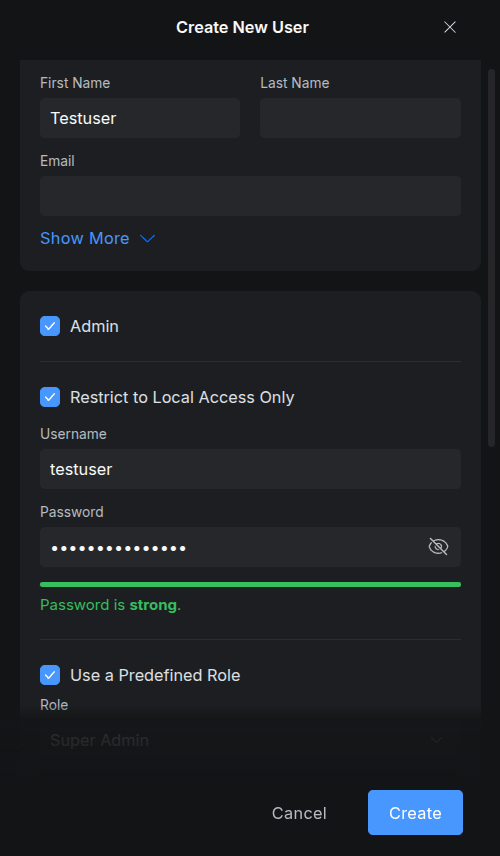
In my example above note that I put a checkmark in the “Admin” box and then I checked “Restrict to Local Access Only”. Then, the username and the password that you enter when you create the account are the ones you enter into the .env file that you are editing. Once you do that, CTRL O and enter to save the file and CTRL X to exit the nano editor.
Start the application.
docker compose up -d

Test to see it is running.
docker ps

Find out the address of your container.
ifconfig
Look for the address of eth0 (Yours till be different).
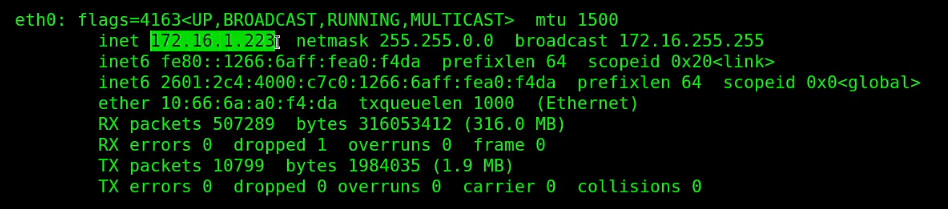
Enter that address into your web browser and the web interface will be displayed.
I hope that you find this application helpful in managing your client addresses on your Unifi Gateway.