The ScottiBYTE Ubiquiti Unifi Topology Mapper is a program that dynamically discovers and draws your network map for those with Ubiquiti Unifi Gateways.
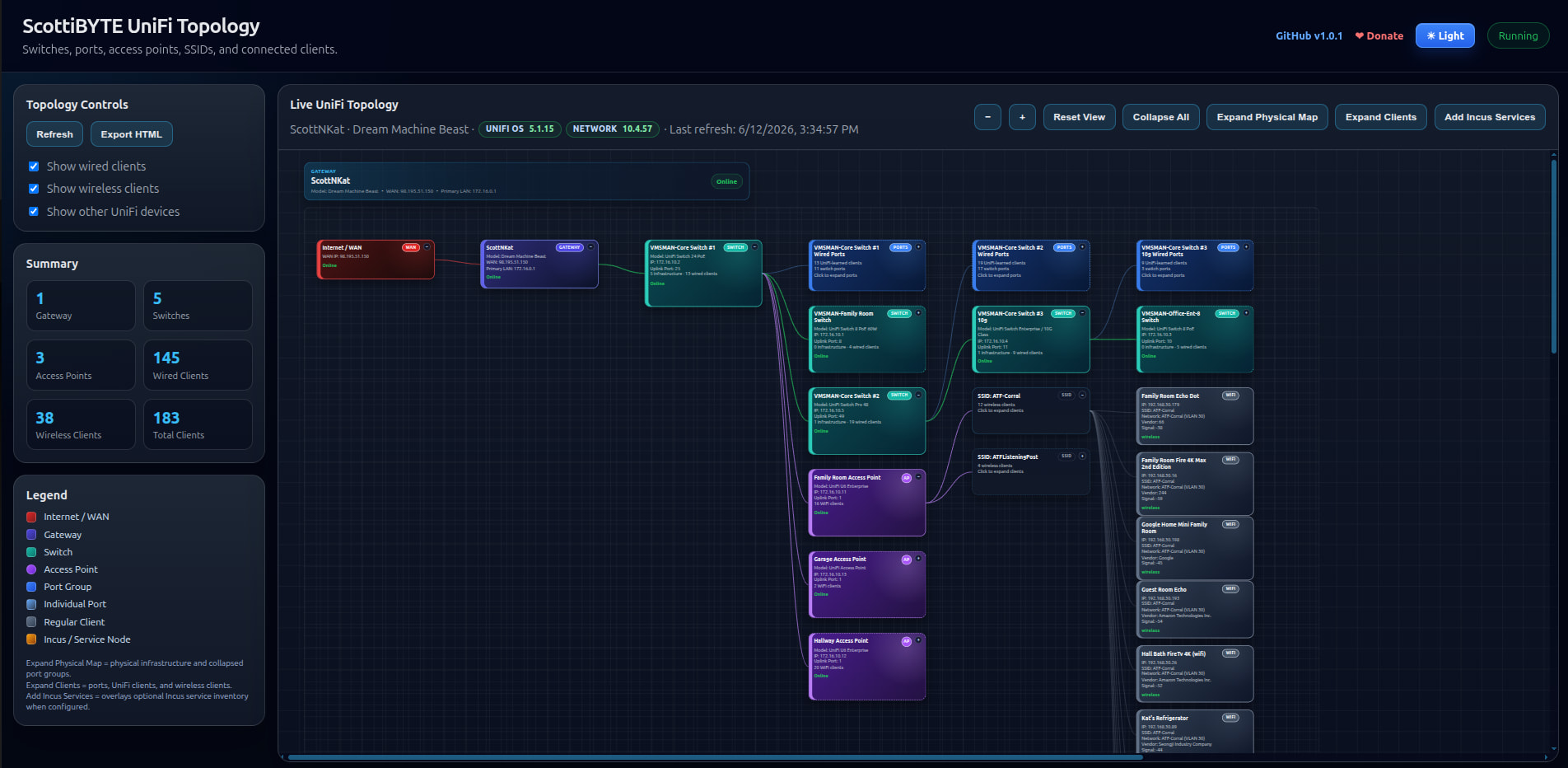
The Unifi Topology utility maps all of the physical connections on your network. In the previous tutorial on my “Blast Radius” utility we observed a “Topology” menu option that was designed to map your Incus servers, Incus containers and even docker containers nested inside those Incus containers.
The real use case for Blast Radius was understanding the impact of service outages and to see the potential collateral damage an outage might cause.
Unifi Topology greatly expands the Topology map that Ubiquiti provides in the Unifi Network dashboard.
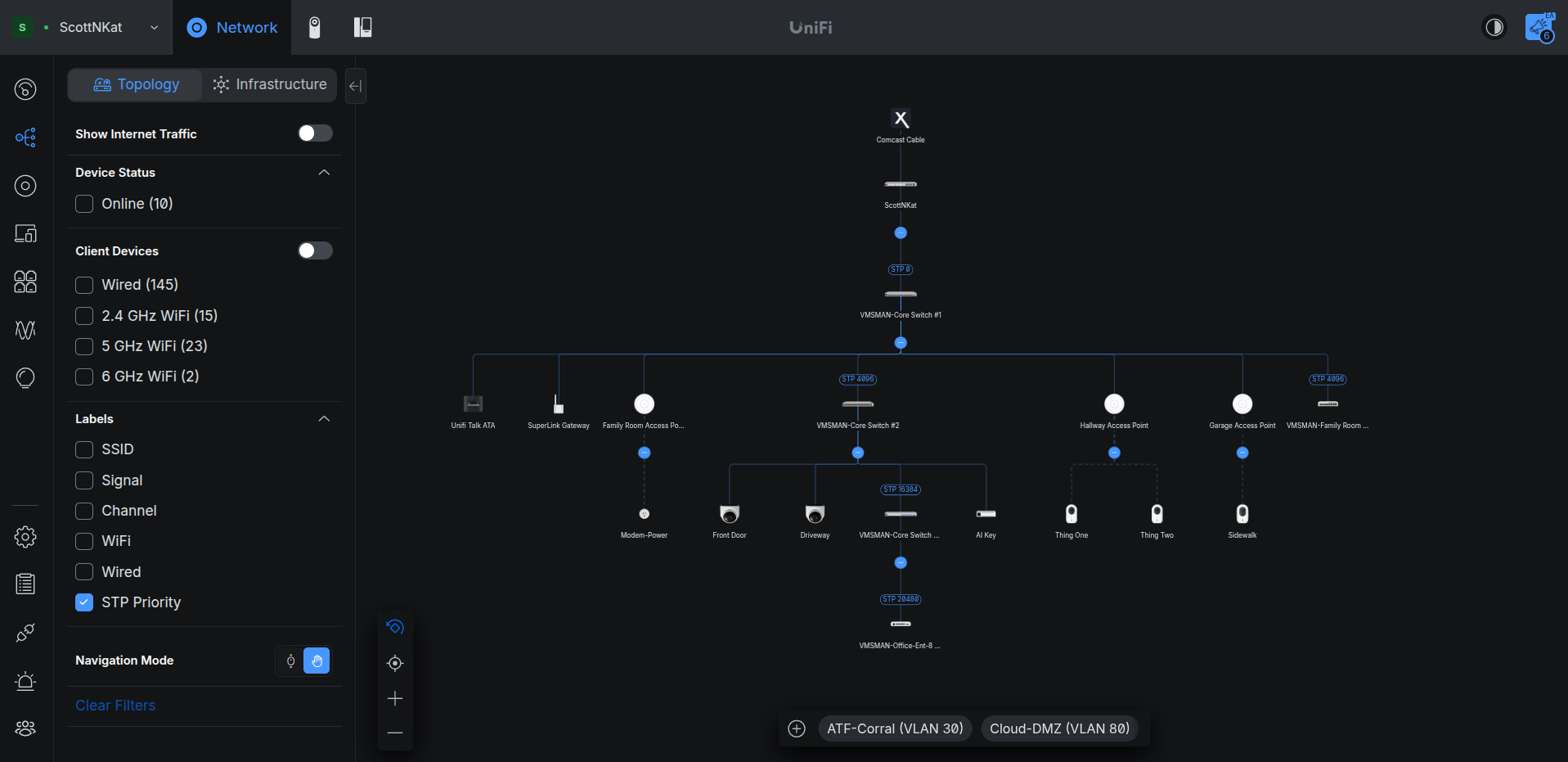
The main use case for Unifi Topology is to document and aid you in the understanding of your network topology. That means that Unifi Topology is designed to see your Unifi Router, Unifi Switches and Unifi Access Points. I take that a step further by also describing to which ports that other switches, APs and host computers are connected.
Unifi Topology also provides optional access to your Blast Radius server to incorporate Incus containers into the network diagram. This is completely optional and not a requirement for Unifi Topology. Unifi Topology does not require Blast Radius or Incus to be installed. Unifi Topology is a docker application that can be easily installed on any docker host. The application is written in Javascript and if you are not a docker fan, then go over to my Github where I have provided all of the source code.
Unifi Topology also provides an “Export HTML” button that will output an HTML file completely documenting your network Topology.
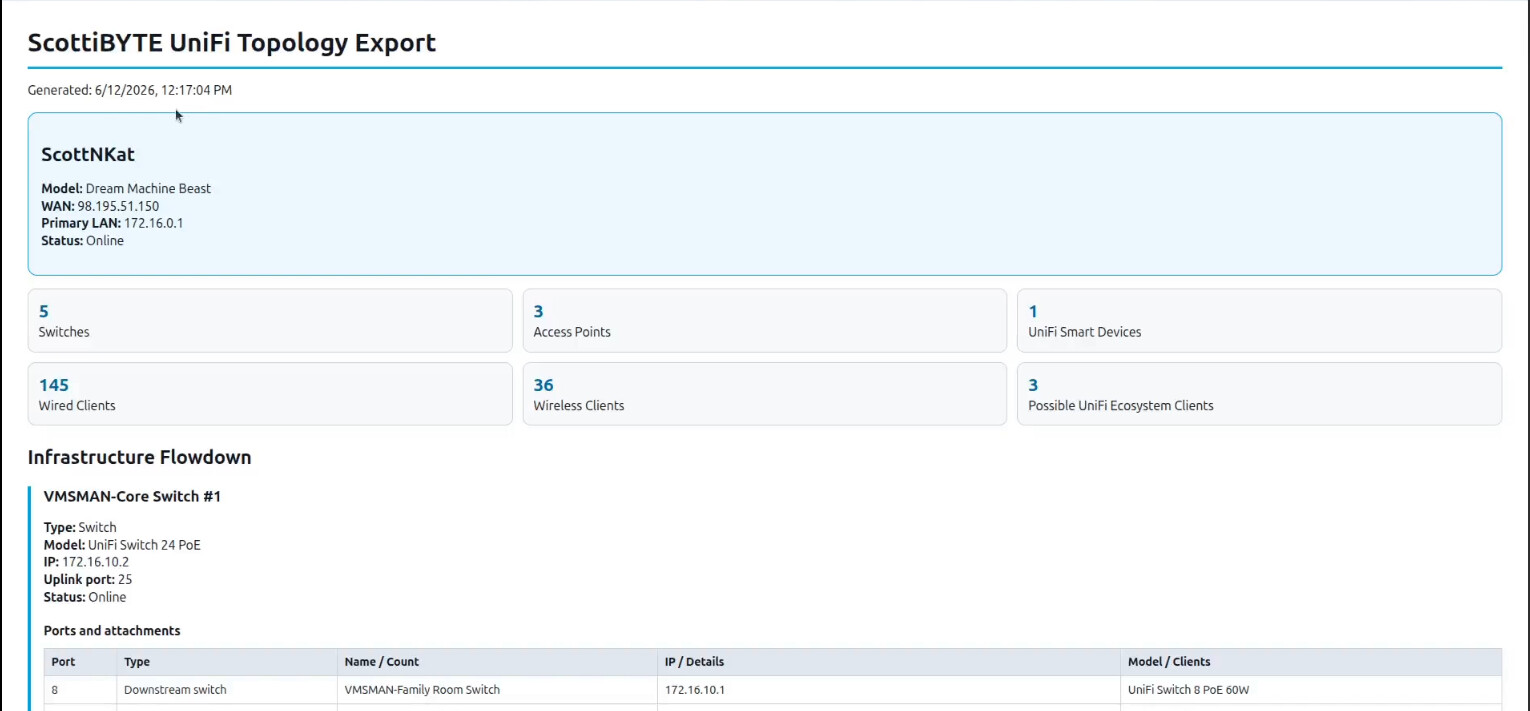
The exported configuration can be quite large depending on the size and complexity of your network. Although I provide buttons to expand the network diagram in the GUI:

It usually makes more sense to expand only the branch that you want to examine. I toyed with outputting the entire diagram, but the resulting eye chart would need to be printed on a large format plotter to be of any use and so I decided against that in favor of the HTML export that you see above.
Just like Blast Radius and my other growing list of applications on Docker Hub I install each of them in an Incus container. Here’s how I create that container:
incus launch images:ubuntu/26.04 UnifiToplogy -p default -p bridgeprofile -c boot.autostart=true -c security.nesting=true
Move inside the new container.
incus shell UnifiToplogy
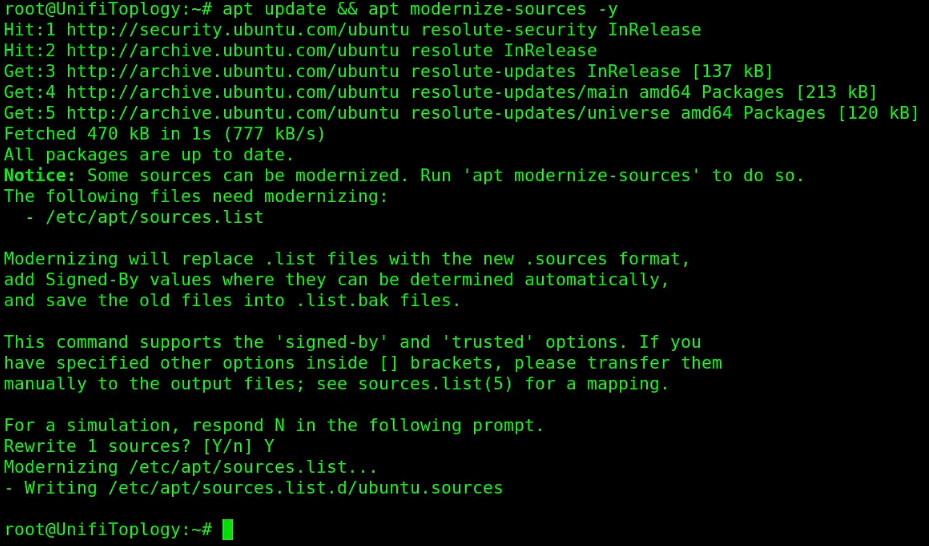
Apply all of the updates to the container if there are any.
apt update && apt modernize-sources -y
apt upgrade -y

Install some dependencies.
apt install curl nano net-tools openssh-server -y
Install Docker.
curl https://get.docker.com | sh
Add a user and put the user in the sudo and docker groups.
adduser scott
usermod -aG sudo,docker scott
Log into the new user account.
su - scott
Create the required folder structure and move into it.
mkdir -p unifi-topology/data && cd unifi-topology
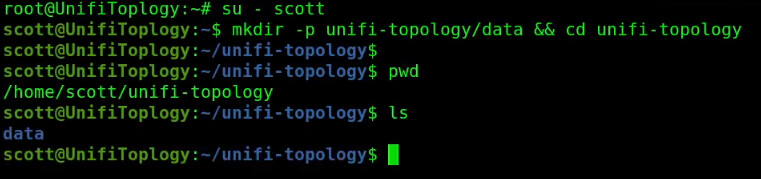
Edit a docker compose file.
nano compose.yml
Insert the following into the editor.
services:
  unifi-topology:
    image: scottibyte/unifi-topology:latest
    container_name: unifi-topology
    restart: unless-stopped
    ports:
      - "3051:3051"
    volumes:
      - ./data:/app/data
    environment:
      - NODE_ENV=production
      - PORT=3051
Save the file with CTRL O and enter and then CTRL X to exit the editor.
Next edit the configuration file for Unifi Topology.
nano data/config.json
Insert the following into the editor.
{
  "port": 3051,
  "unifi": {
    "gatewayHost": "https://172.16.0.1",
    "primaryLanGateway": "172.16.0.1",
    "username": "YOUR_LOCAL_UNIFI_USERNAME",
    "password": "YOUR_LOCAL_UNIFI_PASSWORD",
    "site": "default",
    "insecureSSL": true,
    "pollSeconds": 30
  },
  "blastRadius": {
    "enabled": false,
    "baseUrl": "http://YOUR_BLAST_RADIUS_HOST:3050"
  }
}
In the file above, change the “gatewayHost” to be the address of your Unifi cloud gateway or the address of your Unifi Cloud Key or Unifi Network controller. Change the “primaryLanGateway” to be the gateway address of your Unifi router. In the case of any of the “cloud” gateways like the dream machine models, both of those addresses will be the same.
The username & password should be for a “local” Unifi account that you create on your Unifi router and not the cloud Unifi account that uses your email address. That account only requires read-only access since Unifi Topology never makes any changes to your network.
If you followed my previous video and installed “Blast Radius” then change the enabled option to “true” and change the address to that of your Blast Radius instance.
Save the file with a CTRL O and enter and a CTRL X to exit the nano editor.
Start the application.
docker compose up -d

Check to see it is running.
docker ps

Find the address of Unifi Topology.
ifconfig
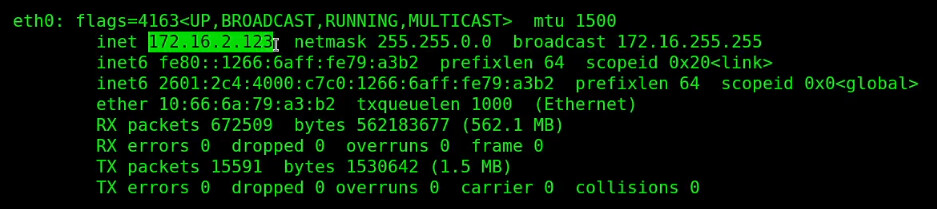
Look for the address of eth0 as shown in the video (yours will differ from mine) and visit that address in your web browser at port 3051.
http://a.b.c.d:3051
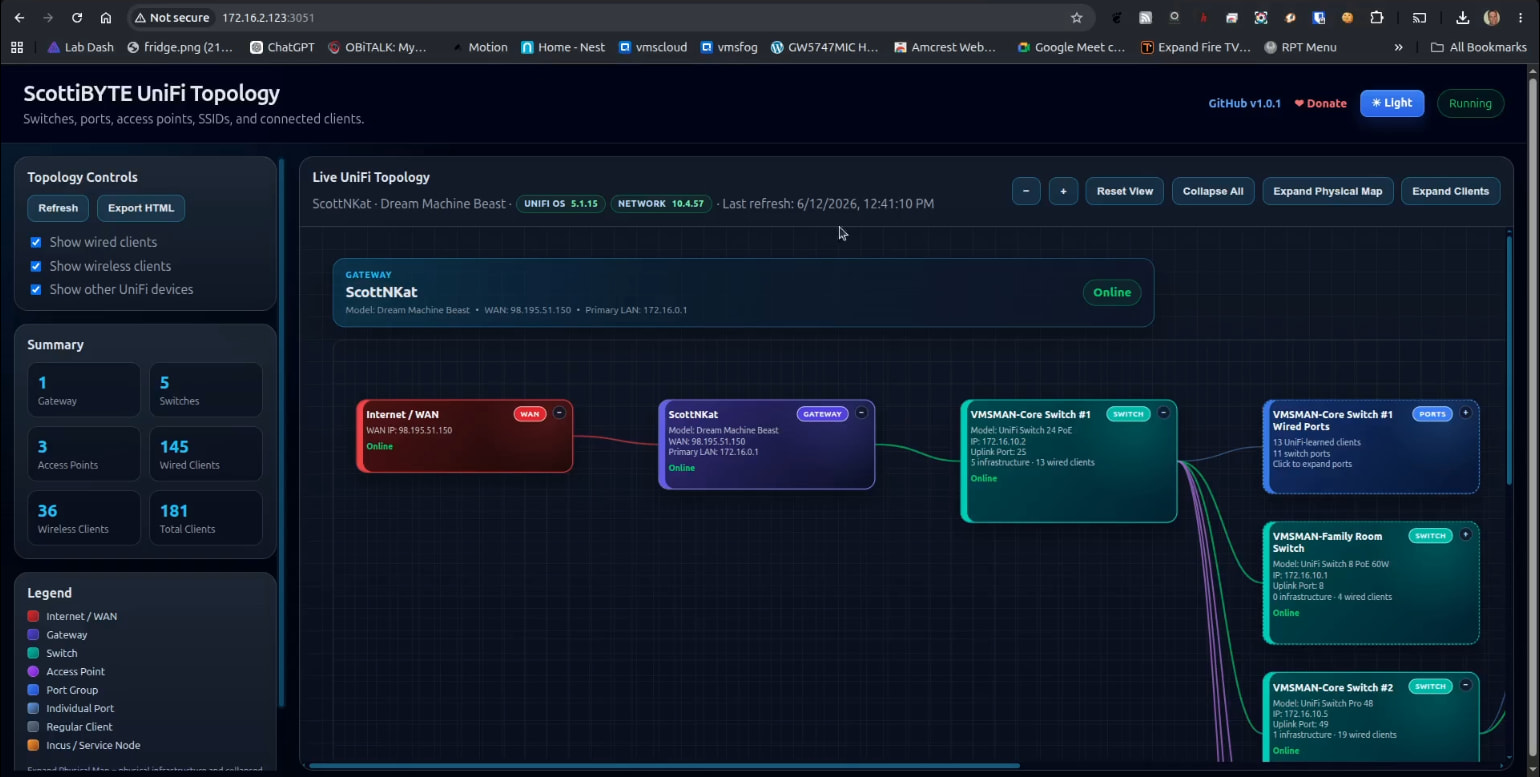
ScottiBYTE Unifi Topology is a powerful tool to help you understand and document your Ubqiuiti Unifi network configuration. I hope that you enjoy it.